Create a provider and invite them right away
0:00 / 0:39
This video's text is coming soon. Meanwhile, here are its steps.
The video's steps
In the Who section, type the person's full name, then their number in the Phone field.
In the Trades and rate section, check at least one trade so the person is proposed on tasks.
In the App access section, choose Invite right after creating: this option uses one seat.
Click Create provider: the invitation screen opens with their profile already linked.
On the Who step, choose WhatsApp, then click Next on each step until the Review step.
On the Review step, click Create the link to prepare the person's invitation.
Create a provider · the video's screenOpens in your workspaceOpen in RentDari
Was it clear?
In the same series · Create a provider
All videos →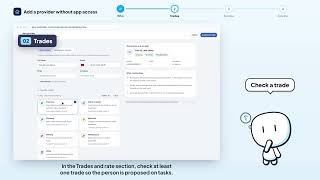


Still stuck? Contact support: this video's link goes with your message.