Request to book directly
0:00 / 0:42
This video's text is coming soon. Meanwhile, here are its steps.
The video's steps
In the calendar, click the Check-in day of your stay, then the Check-out day.
In the Guests field, click the plus button to add a guest, within the limit shown.
The price breakdown appears under the calendar: the nightly rate, the cleaning fee, then the Total.
Click Request to book: there is no charge yet, because the host confirms your request first.
In the Your details form, type your Full name and Phone number; the Email is optional.
Click Send request: the page shows Request sent, pending approval from the host.
Was it clear?
In the same series · Direct booking
All videos →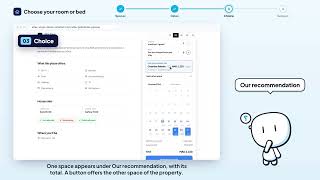


Still stuck? Contact support: this video's link goes with your message.