Request account deletion without logging in
0:00 / 0:30
Step by step
In the Email address field, type the email address of the account to delete.
Click Send verification code: if an account exists, a 6-digit code arrives by email.
Enter the 6-digit code from the email to prove that the mailbox is really yours.
Click Confirm deletion request: this schedules the permanent deletion of the account. It's saved: the page shows Deletion scheduled, with the permanent deletion date.
Mon compte · the video's screenOpens in your workspaceOpen in RentDari
Was it clear?
In the same series · Mon compte
All videos →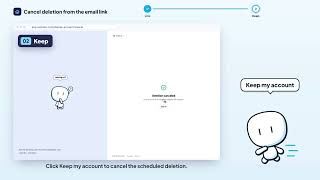


Still stuck? Contact support: this video's link goes with your message.