Override PriceLabs with a manual rate
0:00 / 0:35
This video's text is coming soon. Meanwhile, here are its steps.
The video's steps
Click Rates, then drag across the days to change: the Edit rates & restrictions window opens.
At the top of the window, the notice says PriceLabs prices this room: your manual rate takes precedence.
In the Price per night field, type the manual rate in dirhams for these three nights.
Click Save: this rate replaces the PriceLabs one on these dates until you reset it.
Tarifs et restrictions · the video's screenOpens in your workspaceOpen in RentDari
Was it clear?
In the same series · Tarifs et restrictions
All videos →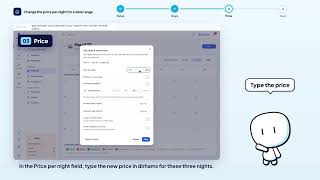


Still stuck? Contact support: this video's link goes with your message.